
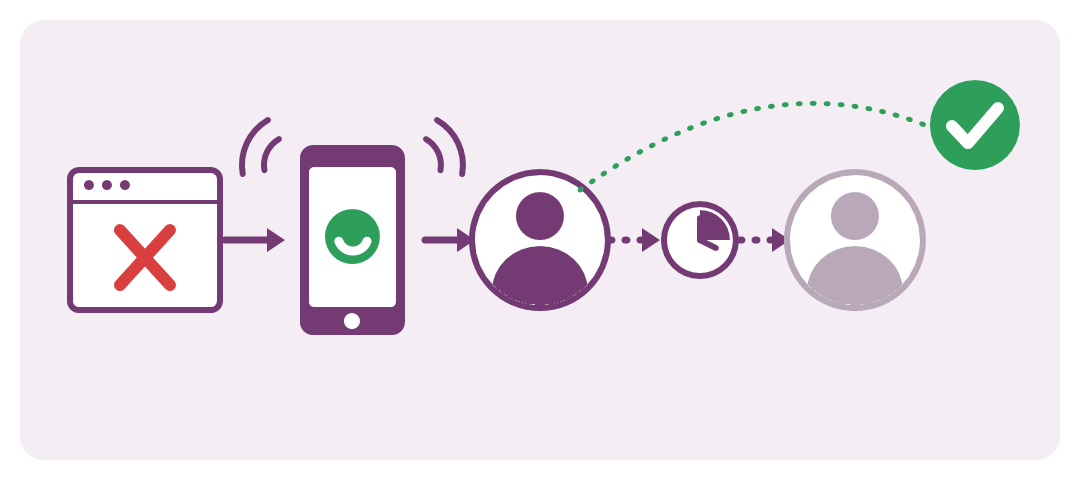
internetvista now places phone call alerts and runs on-call schedules and escalation policies, so every outage reaches someone who acts on it.
An alert is only useful if someone acts on it
Your online shop goes down at 3 a.m. internetvista detects it within minutes and sends the alert. The email waits in an inbox, the SMS lights up a phone on silent, and the first person to notice is a customer at 8 a.m.
Monitoring was never the weak link. The weak link was getting the alert to someone who is awake, responsible and able to act. Until now, closing that gap meant adding a separate incident tool such as PagerDuty behind a webhook. Today it is built into internetvista.
Phone call alerts: the alert that wakes you up
A phone call gets through where an email or an SMS goes unnoticed. Add a phone number as an alert medium, and internetvista calls it as soon as one of your applications goes down.
- A clear voice message. The call says which application is down and why, in the language you chose for the medium.
- Press 1 to take charge. One key acknowledges the incident, and reminders and escalation stop for the whole team.
- Down and back up. You are called when the application goes down and again when it recovers. Warnings never trigger a call.
- Any phone. It works with any mobile or landline, with no app to install.
On-call schedules: the right person, at the right time
Not everyone should be woken up for every outage. Tell internetvista who is on duty, and it alerts that person first.
- Responders are the people who can be alerted, each with their own media: phone, SMS, email, Slack.
- Rotations hand the duty over automatically, daily or weekly, on the day and at the time you choose, in your time zone.
- The On-call page shows at a glance who is on duty now and who takes over next.
Escalation policies: nobody reacts, the next level is alerted
An escalation policy decides who is alerted, in what order and how often, until someone takes charge. Here is a typical night with a two-level policy:
- 00:00. The checkout page goes down. The on-call developer gets a phone call and an SMS.
- 00:05, 00:15, 00:35. Nobody has acknowledged, so the alerts are repeated at growing intervals: enough to be noticed, never a flood.
- 00:15. Still no acknowledgement after the 15-minute delay, so level 2, the team lead, is called as well.
- 00:18. The team lead presses 1. Reminders and escalation stop for everyone, and the incident shows who took charge and when.
You set the delay of each level and how quickly reminders repeat. Apply a policy to all your applications in one click, make it the default for new ones, or give an application its own. Applications without a policy keep alerting their linked media exactly as before.
What it costs
On-call schedules, rotations and escalation policies are included at no extra cost.
| Item | Price |
|---|---|
| On-call schedules, rotations, escalation policies | Included |
| Phone number as an alert medium | Same monthly price as any other medium |
| Each phone call | 2 SMS credits (€0.36 to €0.40, depending on your SMS pack) |
Calls use the same prepaid SMS credits as SMS alerts, so there is nothing new to subscribe to. If no carrier accepts a call, its credits are refunded. Full details are on the pricing page.
Get started in five minutes
- In the Media menu, add a medium of type Phone call. Enter the number in international format, e.g. +32 475 12 34 56
- Open the new On-call menu and click Get started: a first escalation policy is created for you.
- Add your responders and, if you work in shifts, a rotation.
- Make the policy your default and click Send a test page to check that everyone is reached.|